

unifi-pay-widget/react and load
unifi-pay-widget/styles.css once. React 18 and 19 are supported.
Complete widget
UniFiPayWidget is the shortest integration path. It combines asset/network selection, session
creation, checkout launch, a 15-minute countdown, manual or opt-in automatic session-status
checking, and receipt-detected/error callbacks.
Widget props
Automatic session checks
Automatic checking is opt-in. Pass a positivestatusPollIntervalMs value, such as 30_000,
60_000, or 120_000. The waiting card then shows a draining progress ring, the time until the
next check, the last-check time, and a compact refresh control for an immediate check. While a
request is in flight, the controller suppresses overlapping checks.
Omit the prop or pass null to retain the manual Check payment status button. If your
application exposes a public value such as PAYMENT_STATUS_POLL_INTERVAL, parse it as positive
whole seconds and multiply it by 1_000 before passing it to the widget.
Compose into an existing checkout
UseUniFiPaymentOption when the merchant page owns its payment-method radio group, Pay button,
status state, and order-completion UI.
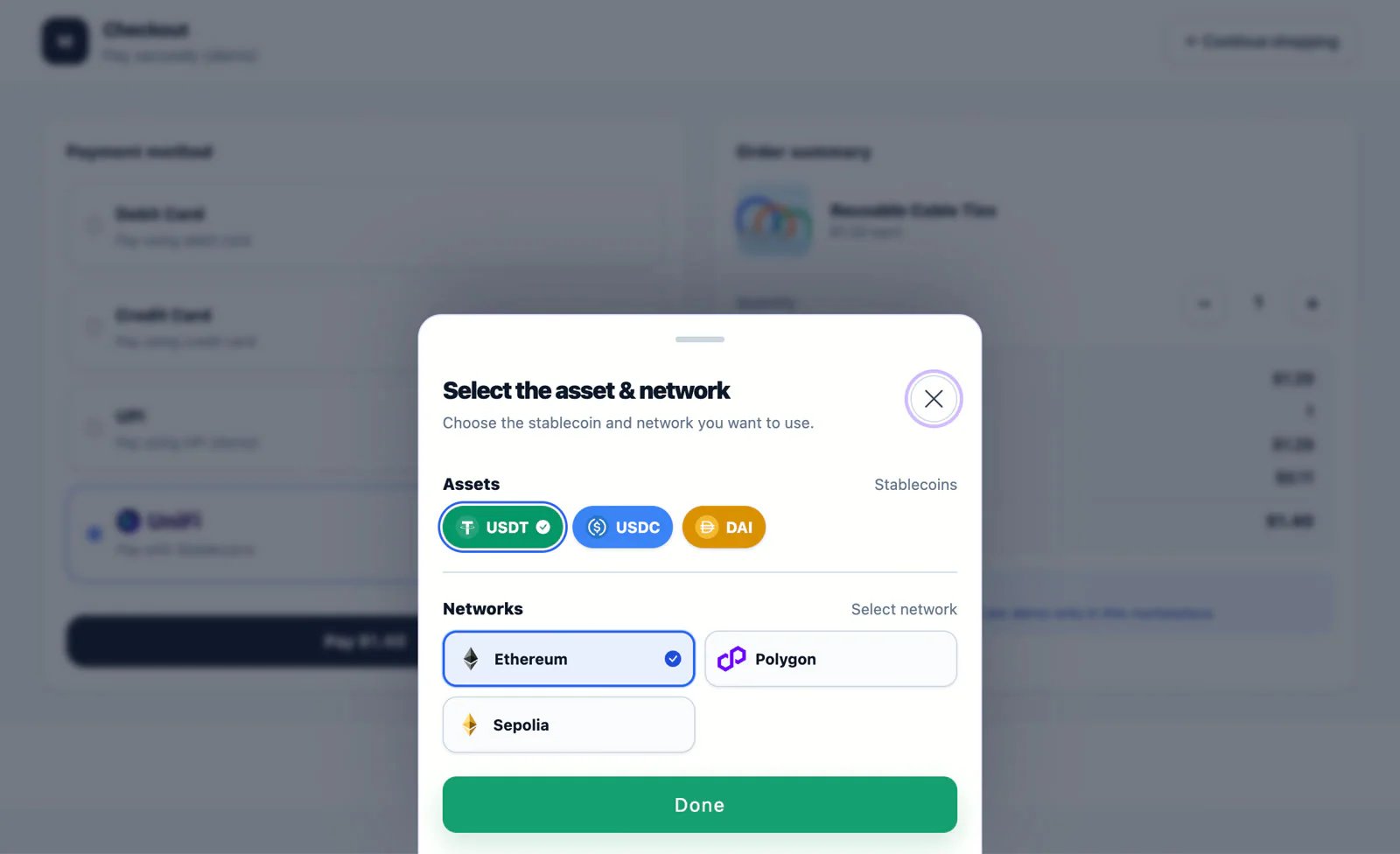
The pair picker is part of the merchant checkout, so the customer never loses order context.
Add the status sheet
UniFiPaymentStatusSheet is controlled by your application. Supply its visibility, countdown,
status text, generated payment URL, and handlers:
checking is omitted, the component manages its own button-loading state while it awaits
onCheckStatus. The sheet handles Escape-to-close, initial close-button focus, body scroll locking,
and a copyable hosted checkout link. Its icon-only close control retains an accessible Close
label.
For composed integrations, pass statusPollIntervalMs, autoCheckSecondsLeft, autoCheckActive,
and lastCheckedAt from useUniFiPayment to render the automatic-check treatment shown above.
The status sheet finds the receipt ID; it does not establish chain finality. After onPaid, call
checkUniFiReceiptStatus, keep Processing and Confirmed in an in-progress order UI, refresh
automatically no more than every 15 minutes, and offer a manual refresh action. Confirm the order
only after Finalized.
Link a receipt
Theme the components
Class names use theunifi-widget prefix. Override CSS variables near the host checkout root:
See the complete FliQ Market composition
Inspect how the payment option, hosted checkout, status sheet, and receipt link work together.